


Struggling to manage business finances manually? QuickBooks skills are now essential for accounting professionals, yet many beginners feel overwhelmed by accounting software. Without proper QuickBooks knowledge, you’re missing critical job opportunities and spending hours on tasks that could take minutes.
This comprehensive guide reveals exactly how to learn QuickBooks as a beginner, from fundamental concepts to advanced features, positioning you for career success in accounting and finance.
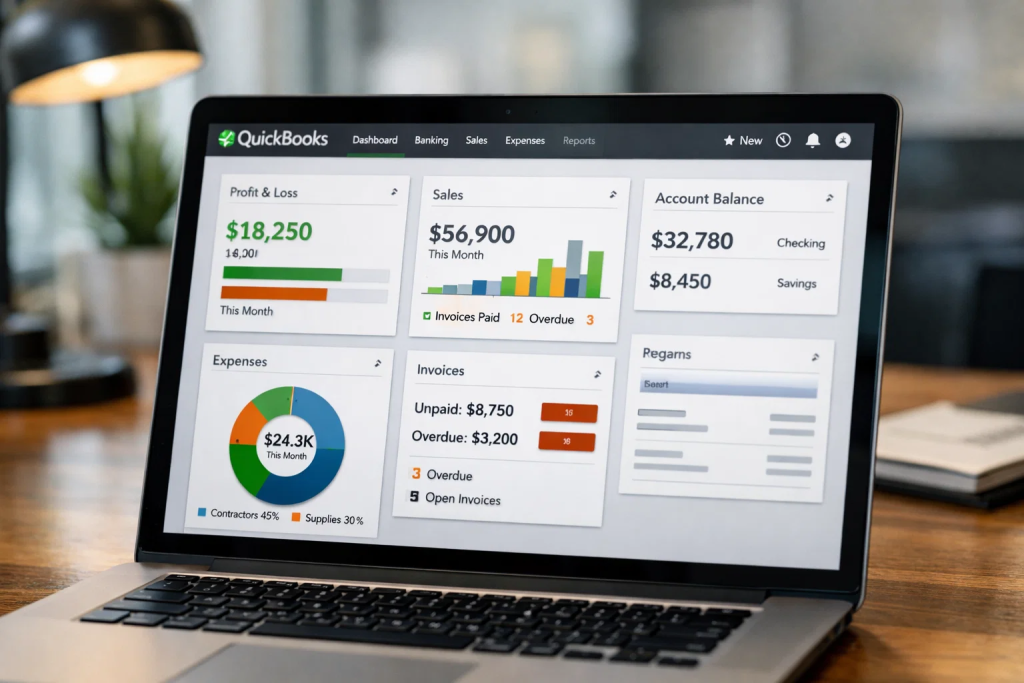
QuickBooks stands as the world’s most popular accounting software, powering over 7 million small and medium-sized businesses globally. For beginners entering the accounting field, QuickBooks proficiency isn’t optional—it’s a fundamental requirement that separates qualified candidates from those who struggle to find employment.
The software transforms complex financial management into streamlined processes, handling everything from invoicing and expense tracking to payroll management and tax preparation. Employers consistently rank QuickBooks among their top required skills for bookkeepers, accountants, and financial analysts. Understanding why QuickBooks is a must-have skill for modern accountants helps you appreciate its market value.
Beyond employment requirements, QuickBooks knowledge enables entrepreneurs to maintain accurate financial records without hiring expensive accountants. The skill set proves invaluable whether you’re managing corporate finances or launching your own business venture. Compared to other accounting software options, QuickBooks offers the most comprehensive features with an intuitive interface that beginners can master effectively.
Before diving into practical training, understanding QuickBooks fundamentals creates a strong foundation for your learning journey. QuickBooks operates on core accounting principles while automating calculations and report generation that would otherwise require manual effort.
The software follows double-entry bookkeeping, where every transaction affects at least two accounts. QuickBooks automatically handles these entries when you record sales, expenses, or other financial activities. This automation eliminates calculation errors while maintaining the accounting accuracy that businesses require for tax compliance and financial decision-making.
QuickBooks organizes financial information into several key components: the chart of accounts (listing all business accounts), customer and vendor databases, product/service catalogs, and transaction records. These elements work together to create comprehensive financial statements including profit and loss reports, balance sheets, and cash flow statements.
Different QuickBooks versions serve various business needs. QuickBooks Online provides cloud-based accessibility perfect for remote work and multi-user collaboration. QuickBooks Desktop offers more robust features for complex accounting requirements, particularly in inventory management and advanced reporting. QuickBooks Self-Employed targets freelancers with simplified expense tracking and mileage monitoring.
Understanding these foundational concepts before starting practical training accelerates your learning process significantly. When you grasp why QuickBooks operates in specific ways, memorizing procedures becomes easier and more intuitive.

Your QuickBooks learning journey begins with selecting the appropriate version and establishing a practice environment. QuickBooks offers free trial periods for both Online and Desktop versions, providing risk-free exploration opportunities for beginners.
Download or sign up for QuickBooks through the official Intuit website, choosing the version that aligns with your learning goals. QuickBooks Online requires only a web browser and internet connection, while Desktop versions need installation on Windows or Mac computers. Most beginners find Online versions more accessible for initial learning due to their simplified interface and automatic updates.
Create a sample company file rather than using real business data for practice. QuickBooks includes sample company files that demonstrate proper setup and transactions. This practice environment lets you experiment without risking actual financial records while building confidence through hands-on exploration.
The initial setup process involves configuring company information, establishing your chart of accounts, and setting preferences for how QuickBooks handles various transactions. While this setup might seem tedious, proper configuration ensures accurate financial tracking and simplified reporting throughout your usage.
Familiarize yourself with the QuickBooks interface navigation. The dashboard provides quick access to common tasks and financial summaries. Navigation menus organize features logically by category—banking, customers, vendors, employees, reports, and settings. Understanding this organizational structure helps you locate needed features quickly as you progress through learning.
If you’re considering professional training, exploring accounting courses in Dubai or comprehensive QuickBooks training can accelerate your mastery with expert guidance.

A structured learning path ensures you build QuickBooks skills systematically rather than jumping randomly between features. This progression develops foundational knowledge before advancing to complex operations.
Week 1: Navigation and Setup
Focus entirely on understanding the QuickBooks interface and completing initial setup procedures. Learn to navigate menus, customize the dashboard, and configure basic company settings. Practice opening different modules and understanding how information flows between QuickBooks sections.
Week 2: Chart of Accounts and Banking
Master creating and managing your chart of accounts, the foundation of all QuickBooks accounting. Learn to add, edit, and categorize accounts properly. Connect bank accounts and practice bank reconciliation, one of the most important regular QuickBooks tasks.
Week 3: Customers and Sales
Learn customer management, creating invoices, recording sales receipts, and tracking accounts receivable. Practice different payment methods and understand how sales transactions affect your financial statements. This week builds skills essential for businesses generating revenue.
Week 4: Vendors and Expenses
Focus on vendor management, entering bills, recording expenses, and tracking accounts payable. Learn check writing and bill payment processes. Understanding expense tracking helps maintain accurate profit calculations.
Week 5: Reporting and Analysis
Explore QuickBooks reporting capabilities, learning to generate, customize, and interpret financial statements. Practice creating profit and loss reports, balance sheets, and cash flow statements. Develop skills in analyzing these reports to understand business financial health.
Week 6: Advanced Features
Tackle inventory management, payroll basics, and budgeting features. While beginners don’t need immediate mastery of these advanced areas, understanding their existence and basic functionality prepares you for future learning.
This six-week framework provides structure while remaining flexible for your learning pace. Some beginners complete this progression faster, while others need additional practice time for certain weeks. Learning Excel for accounting purposes alongside QuickBooks enhances your overall financial management capabilities.

Certain QuickBooks features form the core of daily accounting work. Mastering these capabilities ensures you can handle the majority of real-world business requirements.
Invoice Creation and Management: Creating professional invoices, customizing invoice templates, sending invoices electronically, and tracking which invoices remain unpaid. This feature directly impacts business cash flow by facilitating timely customer payments.
Expense Tracking: Recording business expenses accurately through various methods—entering bills, recording credit card purchases, writing checks, and categorizing expense types. Proper expense tracking ensures accurate profit calculations and tax deductions.
Bank Reconciliation: Matching QuickBooks records against actual bank statements to identify discrepancies and ensure accuracy. Monthly reconciliation prevents errors from compounding and maintains reliable financial data for decision-making.
Financial Reporting: Generating and interpreting standard financial reports that communicate business financial status. Understanding profit and loss statements, balance sheets, and cash flow reports enables effective financial management and stakeholder communication.
Customer and Vendor Management: Maintaining accurate customer and vendor information, tracking transaction history, managing contact details, and understanding relationship profitability. This organizational feature streamlines communication and decision-making about business relationships.
Tax Preparation Support: Using QuickBooks tax reports and features to simplify tax filing. Understanding how to generate tax-ready reports saves significant time during tax season and ensures compliance with tax requirements.
Focusing learning time on these essential features builds practical skills that immediately translate to employment value. While QuickBooks contains dozens of additional features, mastering these core capabilities positions you for success in most accounting roles.
Quality learning resources accelerate your QuickBooks mastery while preventing the frustration of trial-and-error learning. Combining multiple resource types addresses different learning styles and reinforces concepts through varied approaches.
Official QuickBooks Tutorials: Intuit provides extensive free tutorials, video guides, and documentation through QuickBooks Support. These official resources ensure accuracy and cover features comprehensively. The QuickBooks YouTube channel offers visual demonstrations particularly helpful for beginners.
Professional Training Courses: Structured courses like those offered through professional training programs provide systematic learning with expert instruction. These programs often include certification preparation, hands-on projects, and instructor feedback that self-study cannot match.
Online Learning Platforms: Websites like LinkedIn Learning, Udemy, and Coursera offer QuickBooks courses ranging from beginner fundamentals to advanced specializations. These platforms allow learning at your own pace while providing structured curricula.
QuickBooks Certification Program: Pursuing QuickBooks certification demonstrates expertise to employers while providing structured learning objectives. The certification preparation process ensures comprehensive feature knowledge rather than superficial familiarity.
Practice Companies and Sample Data: Working with practice company files or creating fictional businesses for training purposes allows unlimited experimentation without real-world consequences. This hands-on practice solidifies theoretical knowledge through practical application.
QuickBooks Community Forums: Engaging with the QuickBooks user community provides answers to specific questions, troubleshooting assistance, and real-world usage insights. Forums offer perspectives from practitioners facing similar challenges.
Combining formal training with self-directed practice using these resources creates optimal learning conditions. Consider how different types of accounting software compare when planning your broader accounting software education.
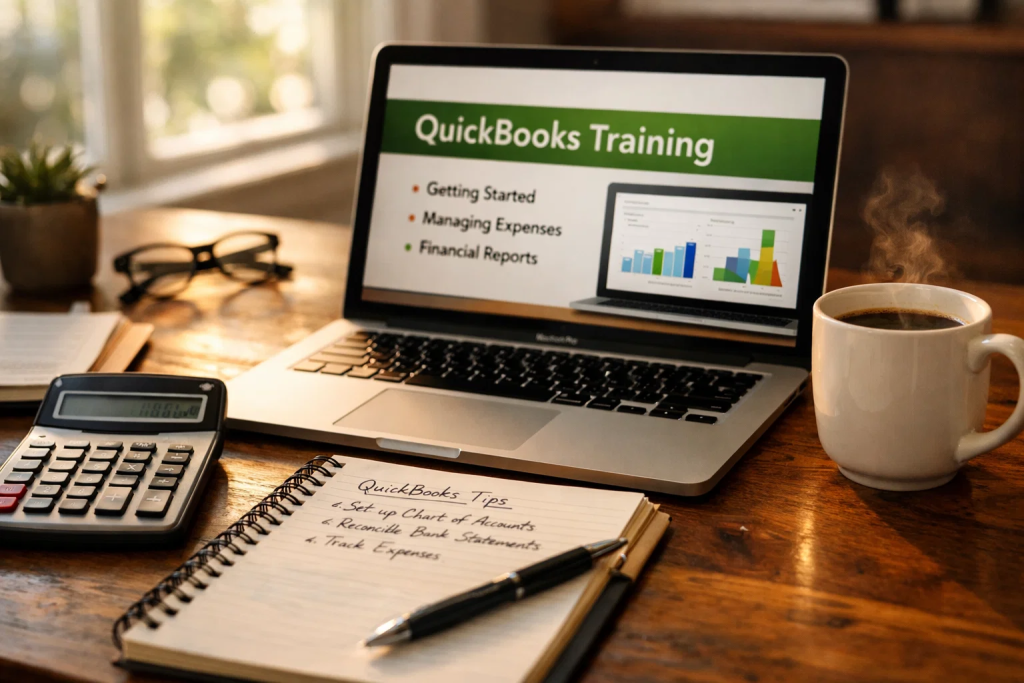
Reading about QuickBooks differs dramatically from actually using the software. Effective practice techniques transform theoretical knowledge into practical competency.
Create Multiple Practice Scenarios: Rather than working through a single company example, create several fictional businesses representing different industries. Practice retail transactions for one company, service business billing for another, and freelance income tracking for a third. This varied practice builds adaptable skills rather than memorized procedures for one specific scenario.
Monthly Close Practice: Simulate complete month-end procedures including reconciliation, report generation, and financial statement analysis. Monthly practice cycles reinforce the accounting workflow rhythm that you’ll follow in professional settings.
Error Correction Exercises: Intentionally create errors in practice companies, then practice identifying and correcting them. This troubleshooting skill proves invaluable when handling real-world discrepancies or inherited company files with existing problems.
Speed Challenges: Once you understand basic procedures, practice completing common tasks quickly. Time yourself entering invoices, recording expenses, or running reports. Increasing speed while maintaining accuracy develops efficiency that employers value.
Teach Others: Explaining QuickBooks concepts to friends, family, or study partners reinforces your own understanding while revealing knowledge gaps that need additional study. Teaching forces you to articulate concepts clearly, deepening your mastery.
Real-World Application: If you have access to a small business (your own or through volunteer work), apply QuickBooks skills to actual financial management. Nothing accelerates learning like real consequences and real appreciation when you solve genuine problems.
Consistent daily practice, even brief 20-30 minute sessions, builds skills more effectively than occasional marathon study sessions. Regular engagement maintains momentum and allows concepts to solidify gradually.
Understanding typical beginner mistakes helps you avoid costly errors while learning QuickBooks. These pitfalls frequently trip up new users but are easily prevented with awareness.
Skipping Initial Setup: Rushing through company setup to begin transactions leads to organizational problems requiring time-consuming correction later. Invest time in proper chart of accounts configuration, company information accuracy, and preference settings before entering transactions.
Mixing Personal and Business Finances: Using QuickBooks for combined personal and business transactions creates reporting confusion and tax complications. Maintain separate tracking even for very small businesses or freelance work.
Inconsistent Transaction Entry: Entering some transactions while forgetting others creates incomplete financial pictures. Develop consistent daily or weekly routines for transaction entry rather than sporadic catch-up sessions that invite errors and omissions.
Ignoring Bank Reconciliation: Skipping monthly reconciliation allows errors to accumulate unchecked. Regular reconciliation catches mistakes early when they’re easier to identify and correct. This practice also ensures your QuickBooks data matches actual bank balances.
Incorrect Account Categorization: Assigning transactions to wrong accounts distorts financial reports and tax calculations. Learn proper categorization principles and reference your chart of accounts regularly until categorization becomes intuitive.
Deleting Instead of Voiding: Deleting transactions removes the audit trail and can create unexplained discrepancies. Void transactions instead, preserving records while canceling their financial effect. This maintains accounting integrity and simplifies troubleshooting.
Neglecting Backups: Failing to backup QuickBooks data regularly risks catastrophic loss from computer failures or corruption. Establish automated backup routines and verify backup integrity periodically.
Using QuickBooks Without Accounting Knowledge: QuickBooks automates accounting procedures but doesn’t teach accounting principles. Complement QuickBooks training with basic accounting education to understand why certain procedures exist. Resources on fundamental accounting principles strengthen your QuickBooks application.
Awareness of these common mistakes helps you develop good habits from the beginning, preventing the frustration of correcting deeply embedded errors later in your learning journey.
QuickBooks proficiency creates substantial career advantages across multiple industries and roles. Understanding these benefits motivates dedicated learning while revealing potential career paths.
Enhanced Employment Opportunities: Job postings for bookkeepers, accounting clerks, and financial assistants overwhelmingly require QuickBooks experience. This skill immediately qualifies you for positions otherwise inaccessible to candidates lacking software proficiency. In competitive job markets, QuickBooks certification often distinguishes your application from dozens of similarly qualified candidates.
Higher Earning Potential: Accounting professionals with QuickBooks skills command higher salaries than those limited to manual accounting. The efficiency gained through software proficiency justifies premium compensation as you deliver more value in less time. Understanding accountant salaries in Dubai reveals the financial benefits of accounting software expertise.
Freelance and Consulting Opportunities: QuickBooks skills enable independent bookkeeping and consulting work. Many small businesses need periodic QuickBooks assistance but cannot justify full-time accounting staff. Your expertise serves these clients profitably while maintaining scheduling flexibility.
Business Ownership Preparation: Whether launching a startup or managing finances for an existing small business, QuickBooks knowledge eliminates dependence on expensive accountants for routine financial management. This self-sufficiency reduces overhead while providing real-time financial insight for business decisions.
Cross-Industry Versatility: Unlike specialized accounting software serving specific industries, QuickBooks applies across virtually all business sectors. Your skills transfer whether you work in retail, services, manufacturing, nonprofit organizations, or professional services.
Career Advancement Foundation: QuickBooks proficiency often serves as a stepping stone to advanced accounting roles. Demonstrating efficiency with basic software opens opportunities for training on enterprise systems like SAP or Oracle while building the accounting knowledge needed for professional certifications.
Remote Work Eligibility: QuickBooks Online’s cloud-based functionality supports remote accounting work increasingly common in modern employment. Software skills combined with reliable internet connectivity qualify you for location-independent positions offering lifestyle flexibility.
For professionals considering broader accounting careers, exploring options like changing careers to accounting or starting an accounting career in the UAE reveals how QuickBooks fits into larger career strategies.
After mastering QuickBooks fundamentals, several paths extend your expertise and career opportunities.
QuickBooks Certification: Pursue official QuickBooks certification demonstrating verified expertise. The certification exam tests comprehensive knowledge while the credential signals professional competency to employers and clients.
Advanced Features Training: Explore QuickBooks capabilities beyond basic bookkeeping—inventory management, job costing, budgeting, and advanced reporting. These specialized skills open doors to more complex accounting roles with corresponding higher compensation.
Integration Expertise: Learn how QuickBooks integrates with other business software like payroll services, e-commerce platforms, and CRM systems. Integration knowledge makes you invaluable for businesses using multiple software tools requiring coordination.
Industry Specialization: Develop expertise in how specific industries use QuickBooks—contractors, retail, professional services, or nonprofits. Industry specialization commands premium fees from clients needing expertise with their sector’s unique requirements.
Complementary Software Skills: Add related software proficiencies to your skill set. Learning Sage 50 provides alternatives when clients prefer different platforms, while Tally Prime expertise serves different market segments. Understanding Sage vs QuickBooks comparisons helps you advise clients on appropriate software selection.
Data Analytics Skills: Combine QuickBooks proficiency with data analysis capabilities using Excel or business intelligence tools. This combination allows you to extract deeper insights from financial data, positioning you as a strategic advisor rather than just a bookkeeper.
Teaching and Training: Share your QuickBooks expertise through training others, whether formally through educational institutions or informally through mentoring. Teaching deepens your own understanding while creating additional income streams.
Continuous learning ensures your QuickBooks skills remain current as software updates introduce new features. Subscribe to QuickBooks blogs, join user groups, and participate in webinars to maintain expertise as the platform evolves.
Most beginners gain basic QuickBooks proficiency within 4-6 weeks of consistent study and practice. Complete mastery including advanced features typically requires 3-6 months of regular usage. Your learning speed depends on prior accounting knowledge, practice frequency, and specific features you need for your role.
While QuickBooks can be learned without prior accounting knowledge, understanding basic accounting principles significantly accelerates your learning and enables better software use. Combining QuickBooks training with fundamental accounting education produces the best results for long-term career development.
QuickBooks Online offers easier learning for most beginners due to its simplified interface, automatic updates, and accessibility from any device. Desktop versions provide more features but require steeper learning curves. Choose based on your intended use and available learning resources.
Yes, through QuickBooks free trials, official Intuit tutorials, YouTube videos, and practice company files. However, structured paid courses often accelerate learning through systematic instruction, practice exercises, and instructor support that free resources cannot match.
No formal qualifications are required to use QuickBooks, though employers typically seek candidates with demonstrated proficiency through certification or work experience. QuickBooks certification validates your skills and enhances employment prospects significantly.
QuickBooks provides purpose-built accounting features including automatic double-entry bookkeeping, financial statement generation, and tax reporting that Excel requires manual setup to achieve. However, Excel complements QuickBooks for custom analysis and reporting beyond QuickBooks’ standard features.
QuickBooks Desktop works offline, while QuickBooks Online requires internet connectivity. Choose Desktop versions if reliable internet access is unavailable or if you prefer local data storage over cloud-based systems.
QuickBooks certification demonstrates verified expertise to employers and clients, often justifying higher compensation and improved employment prospects. The certification preparation process ensures comprehensive feature knowledge valuable even if you don’t ultimately pursue the credential.
Bookkeepers, accounting clerks, accounts payable/receivable specialists, payroll administrators, office managers, and small business owners all benefit from QuickBooks proficiency. Many administrative roles appreciate QuickBooks skills even when not directly accounting-focused.
QuickBooks Online updates continuously with automatic feature rollouts, while Desktop versions release major updates annually. Stay current through Intuit’s official blog, user community forums, continuing education webinars, and periodic refresher training on new features.
Absolutely. Many successful learners dedicate 30-60 minutes daily to QuickBooks practice while maintaining full-time employment. This gradual approach allows concept absorption without overwhelming schedules, often producing better retention than intensive crash courses.
QuickBooks excels in user-friendliness, comprehensive features, and broad market adoption making it the standard for small to medium businesses. Alternative software may offer specific advantages for certain industries or business sizes, but QuickBooks provides the most versatile skill set for accounting careers.
Learning QuickBooks as a beginner transforms from overwhelming challenge to achievable goal when approached systematically. By following the structured learning path outlined in this guide, practicing consistently with hands-on exercises, and avoiding common mistakes, you build valuable skills that immediately enhance your career prospects.
QuickBooks proficiency opens doors across industries, increases earning potential, and provides the foundation for advanced accounting career development. Whether you’re entering the accounting field, enhancing existing skills, or preparing to manage business finances independently, QuickBooks mastery represents one of the highest-value investments in your professional development.
Begin your QuickBooks journey today with confidence. The systematic approach detailed in this guide, combined with quality learning resources and dedicated practice, ensures you’ll progress from complete beginner to competent QuickBooks user ready to apply your skills professionally.
Ready to master QuickBooks with expert guidance? Explore comprehensive QuickBooks training programs designed specifically for beginners seeking to accelerate their accounting careers through proven, hands-on learning methods.